





Frequently Asked Questions (FAQs) are essential for websites, products, and services. They save time, clarify doubts, and improve user experience. But creating an FAQ from scratch can be tricky.That’s where FAQ templates come in. They provide a pre-designed structure, making it easy to organize questions, answer clearly, and boost your site’s SEO. This guide covers everything you need to know about FAQ templates, including ready-to-use formats and tips for customization.
What Are FAQ Templates?
FAQ templates are pre-made structures for writing Frequently Asked Questions. Instead of creating each FAQ from scratch, you use a template to:
- Organize questions clearly
- Provide concise answers
- Ensure consistency across your content
- Improve readability and user trust
In fact, templates can be applied to websites, blogs, product pages, SaaS platforms, or even internal documents. They save time and ensure that all relevant information is included.
Why You Need FAQ Templates
Many businesses underestimate the power of a well-crafted FAQ section. A good FAQ:
- Reduces support queries – Customers find answers without contacting support.
- Builds trust – Clear, helpful answers increase credibility.
- Improves SEO – Google loves structured, relevant content and may show FAQs in rich snippets.
- Saves time – Templates allow faster creation of new FAQ pages.
Without templates, FAQ sections can be messy, incomplete, or confusing for users.
Benefits of Using FAQ Templates
Using FAQ templates has multiple benefits:
- Consistency: Every FAQ page follows a standard format.
- Clarity: Answers are organized logically.
- Time-Saving: Quickly create multiple FAQ sections.
- SEO Advantage: Structured content improves ranking opportunities.
- User Satisfaction: Visitors get immediate answers, enhancing experience.
For example, instead of writing random questions like:
- “What is your product?”
- “Do you ship internationally?”
- “Can I return it?”
A template organizes these into clear categories like Product, Shipping, Returns, Support.
10 Best FAQ Templates You Can Use Today
Here are 10 actionable FAQ templates, ready to apply on your website or business.
Template 1: Product FAQ Template
Ideal for: eCommerce stores, retail products
Example Structure:
- What is this product made of?
- How do I use it?
- Is it safe for children?
- Shipping options and costs
- Return and warranty policy
Template 2: Service FAQ Template
Ideal for: Freelancers, agencies, or service providers
Example Structure:
- What services do you offer?
- How long does a typical project take?
- How do I get started?
- Pricing and payment options
- Can I request revisions?
Template 3: Website FAQ Template
Ideal for: Company websites, blogs
Example Structure:
- What is your company mission?
- How can I contact support?
- What payment methods do you accept?
- Are my personal details secure?
- How can I subscribe to updates?
Template 4: E-commerce FAQ Template
Ideal for: Online shops
Example Structure:
- What payment methods are accepted?
- How long does shipping take?
- Can I track my order?
- What is the return policy?
- Are discounts available?
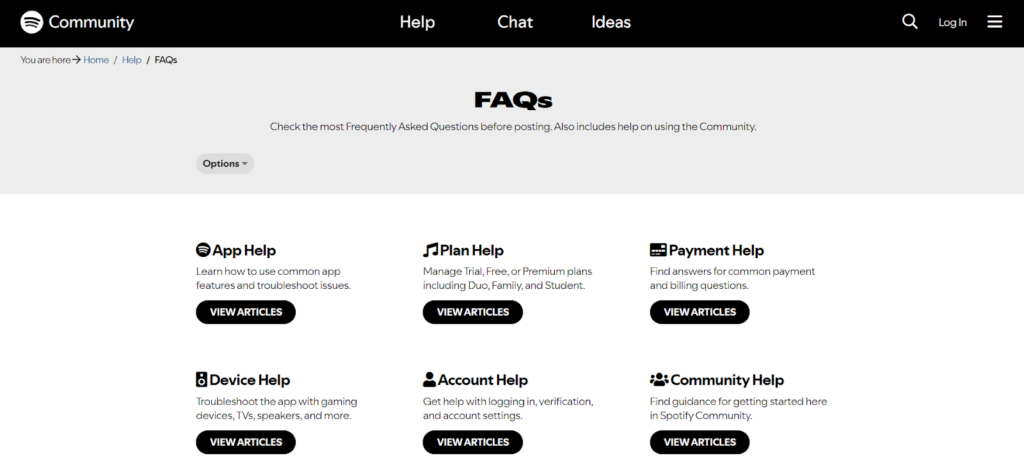
Template 5: Customer Support FAQ Template
Ideal for: SaaS or service-based businesses
Example Structure:
- How do I contact support?
- What are your support hours?
- How long does a ticket take to resolve?
- Can I upgrade or downgrade my plan?
- How do I cancel my subscription?
Template 6: SaaS FAQ Template
Ideal for: Software products
Example Structure:
- What features are included?
- Is my data safe?
- Can I integrate with other tools?
- How do I upgrade my plan?
- How do I report a bug?
Template 7: Blog / Content FAQ Template
Ideal for: Blogs, content creators
Example Structure:
- How often do you post new content?
- Can I contribute as a guest author?
- How do I subscribe to updates?
- Can I share your content?
- How do you fact-check articles?
Template 8: HR / Employee FAQ Template
Ideal for: Internal company documents
Example Structure:
- What are the working hours?
- How do I request leave?
- What is the dress code?
- How are benefits calculated?
- Who do I contact for HR issues?
Template 9: Event FAQ Template
Ideal for: Conferences, webinars, workshops
Example Structure:
- When and where is the event?
- How can I register?
- Is there a fee?
- What is the refund policy?
- Can I access recordings?
Template 10: General FAQ Template
Ideal for: Any business or personal website
Example Structure:
- What is your main service/product?
- How do I contact you?
- How quickly do you respond?
- Are there guarantees or warranties?
- Can I cancel anytime?
How to Customize Your FAQ Template
Simply using a template isn’t enough. Customize it to your business and audience:
- Identify common questions – Ask support staff or review customer emails.
- Write clear answers – Keep them concise, direct, and helpful.
- Use bullet points – Improves readability.
- Add internal links – Direct users to related pages or blog posts.
- Update regularly – Remove outdated information and add new queries.
SEO Tips for FAQ Pages
Creating FAQ templates is one thing, optimizing them for SEO is another.
- Include target keywords naturally in questions and answers
- Use structured data (FAQ schema)
- Answer questions clearly and concisely
- Include internal links to related content
- Avoid duplicate content across pages
- Add rich media if helpful (images, videos, charts)
Common FAQ Mistakes to Avoid
- Writing long, complicated answers
- Ignoring customer language (use their words, not corporate jargon)
- Not updating FAQs regularly
- Using generic templates without customization
- Overstuffing keywords for SEO
How Often Should You Update Your FAQs?
- Every 3–6 months is ideal
- Update after new product launches, service changes, or policy updates
- Monitor search queries and support tickets to add relevant questions
Consistency ensures users find relevant answers and Google ranks your content higher.
Conclusion
FAQ templates save time, improve user experience, and enhance SEO. They are essential for websites, services, and businesses. By choosing the right template, customizing it, and updating regularly, you can build a professional, helpful FAQ section that satisfies users and search engines alike.
FAQ Section (Schema + Rich Snippet Ready)
Q1: What are FAQ templates?
A1: FAQ templates are pre-designed formats that help organize frequently asked questions for websites, products, or services.
Q2: Why should I use FAQ templates?
A2: They save time, improve user experience, boost SEO, and ensure consistent answers.
Q3: Can FAQ templates be customized?
A3: Yes, you can adapt questions and answers to your business, audience, and website style.
Q4: How many FAQs should I include?
A4: Include all common questions that your users or customers ask. Typically, 5–10 well-structured questions work best.
Q5: How do FAQ templates improve SEO?
A5: Clear, structured FAQs with keywords and FAQ schema can appear as rich snippets on Google, increasing visibility.